
A Self-Study Roadmap for Learning C++ in 2026
A practical, book-led roadmap for learning modern C++ from zero — the order to learn topics in, how long each stage takes, and the projects that actually cement the language.

C++ is one of the few languages where, after a year of serious study, you can read the source of a database, build a game engine, write a compiler, and contribute to the operating system you are running. It is also a language that punishes shortcuts. Most self-taught programmers stall not because C++ is hard, but because they learn it in the wrong order — chasing modern features before they understand the memory model, or copying STL patterns they cannot debug.
This roadmap fixes the order. It is the same sequence we recommend to readers of our C++ Programming Language title, and the same one we use when sequencing the broader Programming & Computer Science series.
Who this roadmap is for
You are comfortable using a computer, you have installed a compiler before — even if only once for a class — and you can give this 6 to 10 hours a week for about six months. You do not need a maths background beyond high school algebra; the parts that matter (bit operations, basic complexity) are taught as you go.
If you have used Python or JavaScript before, you will move faster through Stage 1 and slower through Stage 2. That is normal. C++ rewards the second stage more than any other language rewards any of its stages.
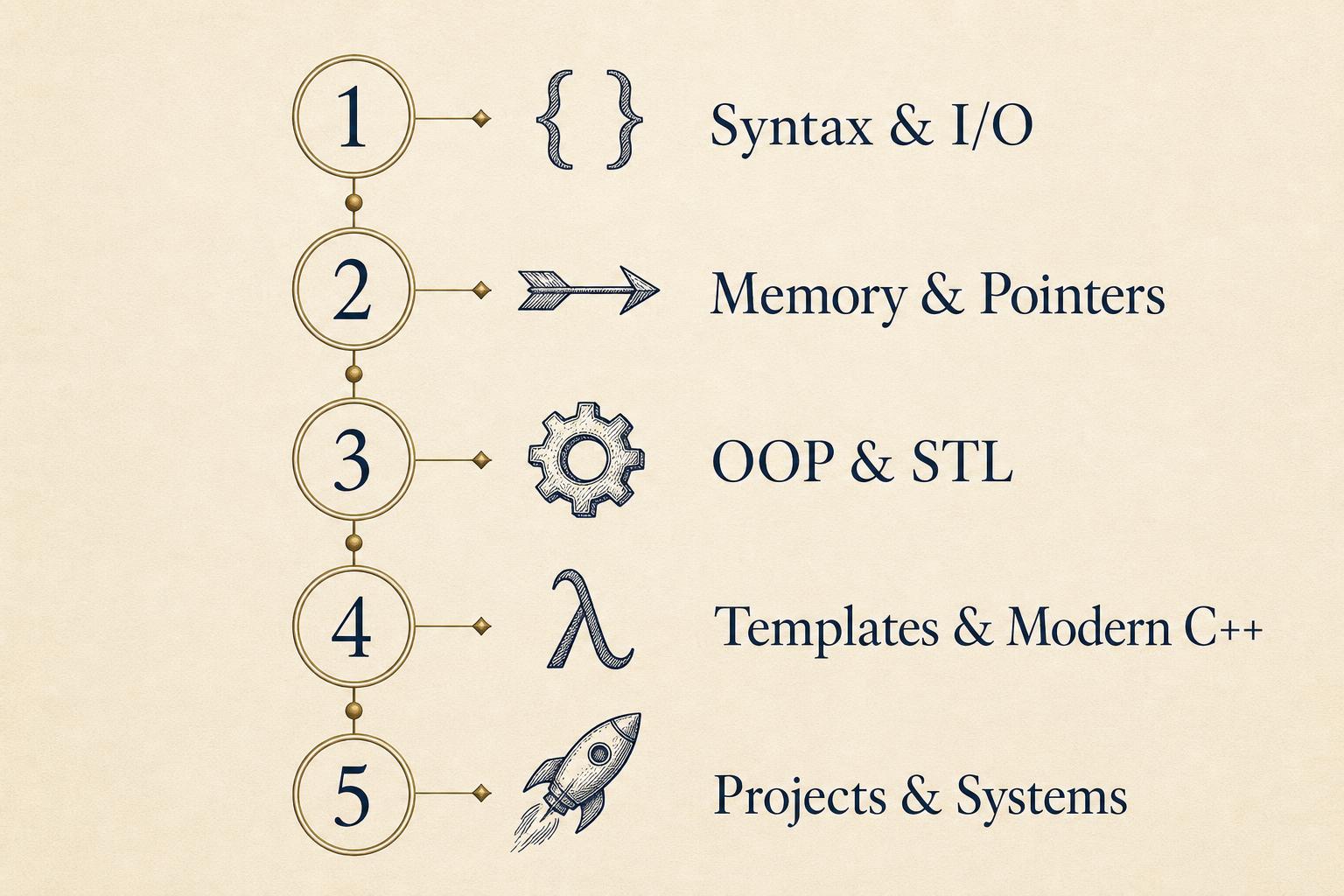
The five stages
| Stage | Focus | Weeks | What "done" looks like |
|---|---|---|---|
| 1 | Syntax, I/O, control flow | 2–3 | You can solve 50 small problems without looking up loop syntax. |
| 2 | Memory, pointers, references | 3–5 | You can draw the stack and heap for any short program on paper. |
| 3 | OOP and the STL | 4–6 | You reach for `std::vector` and `std::unordered_map` by reflex. |
| 4 | Templates and modern C++ (C++17/20) | 4–6 | You can read a header from a real open-source library. |
| 5 | Projects and systems | 6+ | You ship one non-trivial thing per month. |
The total is roughly 19 to 26 weeks of consistent effort. Treat these ranges as floors, not ceilings — the readers who get the most out of C++ are the ones who linger in Stage 2.
Stage 1 — Syntax, I/O, and control flow
Goal: stop fighting the compiler. By the end of this stage typing a `for` loop, reading input, and printing formatted output should feel automatic.
Work through the first six chapters of C++ Programming Language and write — by hand, not copy-pasted — at least 40 small programs. Reverse a string. Find primes under a million. Count word frequencies in a text file. Resist the urge to use any container more exotic than a plain array; you are training your fingers, not your architecture taste.
Common trap: jumping to classes the moment a tutorial mentions them. Don't. A function-only program of 200 lines is more educational right now than a class-based one of 50.
Stage 2 — Memory, pointers, and references
This is the stage that separates people who say they "know C++" from people who actually do. Spend longer here than you think you need to.
You are learning four things at once: how the stack and heap differ, what a pointer actually is at the byte level, why references exist alongside pointers, and what RAII means in practice. Draw memory diagrams on paper for every non-trivial program you write. When you cannot draw it, you do not understand it yet.
The chapters on pointers, dynamic memory, and object lifetimes in C++ Programming Language are the spine of this stage. Pair them with small exercises: implement your own `vector`-like dynamic array; write a tiny linked list; build a string class with proper copy and move constructors. None of these should be "production quality" — they should be ugly, instructive, and entirely yours.
Stage 3 — OOP and the Standard Template Library
Now classes earn their place. You will learn inheritance, virtual functions, and the four-special-member-function rule (constructor, destructor, copy, move) — then, more importantly, you will learn when not to use them. Most modern C++ code uses composition and free functions far more than deep class hierarchies.
In parallel, get fluent with the STL: `vector`, `string`, `unordered_map`, `set`, the algorithm header (`sort`, `find_if`, `accumulate`), and iterators. The fastest way to internalise these is to re-solve every Stage 1 exercise using STL containers and algorithms, then compare line counts.
For a wider view of how data structures behave underneath the STL, our Compiler Design and Learn Computer Science titles are useful companions — not because you will write a compiler this month, but because seeing the same data structures from a systems perspective makes the STL choices feel less arbitrary.
Stage 4 — Templates and modern C++
This is where C++ stops looking like C-with-classes and starts looking like its own language. Templates, `auto`, range-based `for`, lambdas, `std::optional`, `std::variant`, smart pointers (`unique_ptr`, `shared_ptr`), and — if you are feeling brave — concepts and ranges from C++20.
Resist the temptation to learn every feature. Learn the ten that show up in 90% of modern code, then stop. The full feature list is a reference you consult, not a curriculum you complete.
The single best exercise here is to read one header from a real library — Catch2's single-header test framework, the public part of `fmt`, or the implementation of `std::optional` in your standard library — and annotate it line by line.
Stage 5 — Projects and systems
By now you can write C++. The remaining question is what to write.
Pick projects that touch the parts of computing C++ is genuinely good at:
- A small interpreter or expression evaluator (forces you to think about memory and ownership end-to-end)
- A 2D game using SDL or SFML (teaches you to manage state and frame timing)
- A simple HTTP server using only the standard library and one socket dependency (teaches you systems APIs)
- A toy database that stores rows in a file with a B-tree index (teaches you serialisation and concurrency)
If a project takes a weekend, it is too small. If it takes more than a month before you have anything running, it is too big. Aim for two to four weeks per project, and ship — even if "ship" means a `README.md` and a recorded demo.
A weekly rhythm that actually works
The single biggest predictor of finishing this roadmap is not talent or background; it is rhythm. Pick three or four sessions per week of 90 minutes each, at the same times. Spend 60 minutes reading and writing exercises, and 30 minutes on the current stage's project. End every session by writing down — in plain English — what confused you. Start the next session by re-reading those notes.
Skip the daily-streak gamification. Streaks fail on the first bad week and take three weeks to rebuild. A flexible rhythm of four sessions, missed occasionally, is far more durable.
Where C++ goes after this
Once Stage 5 is comfortable, the language opens into several distinct careers: game and engine development, high-performance trading, embedded and robotics, browser and OS internals, graphics, and scientific computing. Each has its own dialect, but they share the foundation this roadmap builds.
If you want a broader view of where computing itself is going — and how C++ sits next to the systems it powers — our Programming & Computer Science series is the natural next step.
Further reading from our catalogue
- C++ Programming Language — the primary spine for Stages 1 through 4.
- Compiler Design — for Stage 5 readers who want to build an interpreter.
- Learn Computer Science — the systems context that makes modern C++ feel obvious.
- Software Testing Engineering — once you ship a project, this is how you keep it from breaking.
Pick one. Read it with a compiler open. Six months from now you will be a different programmer.
If you are weighing database or compiler subjects specifically, see our guide to the best books to learn Database Management and Compiler Design.
By Knowledge Flow Editorial Team
Last updated: